
Red, White & Royal Blue
2023 · Movie

Featured movie · 2023
A public rivalry becomes an unexpected connection between the American President’s son and a British prince.
★ 7.9 TMDBComedy · Romance
 Explore the film →
2023 · Movie

2023 · Movie

2023 · Movie
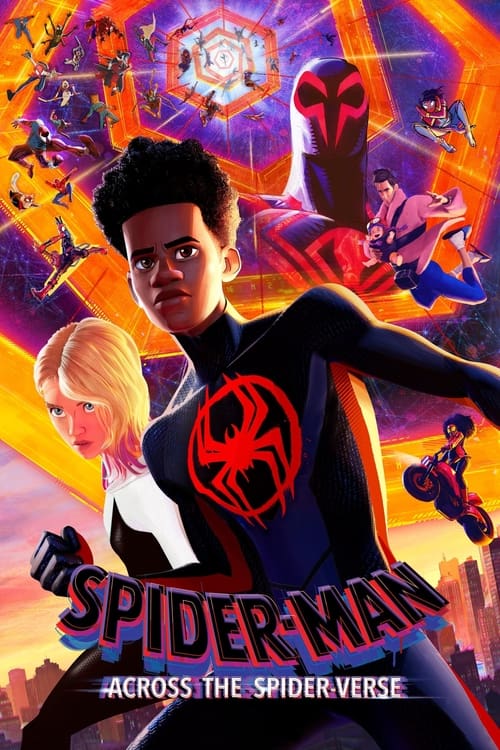
2023 · Movie
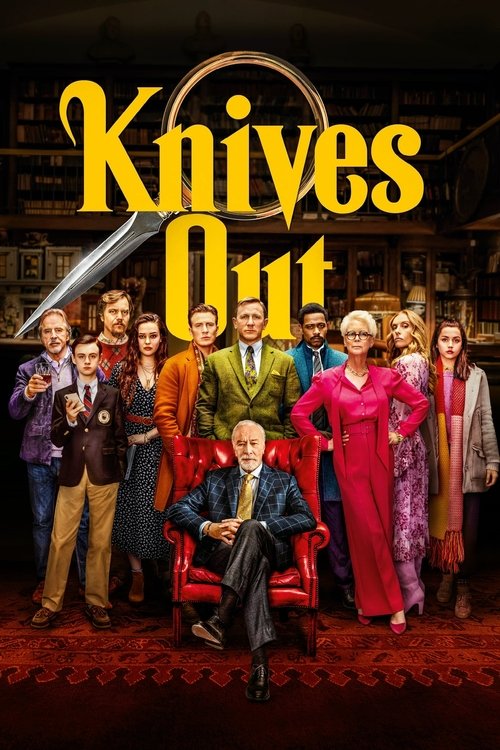
2019 · Movie

2023 · Movie

2021 · TV Series

2022 · TV Series

2025 · Movie

2025 · Movie

2025 · Movie

2025 · Movie

2025 · Movie

2025 · Movie

2025 · Movie

2025 · Movie
2021 · TV Series
2022 · TV Series

2023 · TV Series

2022 · TV Series

2023 · TV Series

2023 · TV Series

2020 · TV Series

1989 · TV Series
2023 · TV Series
2025 · Movie
2021 · TV Series

2013 · TV Series

2016 · TV Series

2018 · TV Series

2008 · Movie

2001 · Movie
Keep your next movie or series close on Android, iPhone and tablets.
Read guide →Find the film behind an old bookmark without losing the name, year or season you wanted.
Read guide →Get back to browsing when a page, search, saved list or viewing link behaves differently than expected.
Read guide →Match the film edition, screen and viewing offer before choosing video quality.
Read guide →FlixWave movies & television
Put a name in search, open a film that catches your eye or find the next season of a show you already love. FlixWave brings those choices together without making you decide what kind of viewer you are first. A romantic comedy, an animated adventure and an ambitious television drama can all belong on the same watchlist.

There are two very different ways to arrive on a movie website. Sometimes you know exactly what you want and the search box should get out of your way quickly. Sometimes the whole reason for visiting is that you have not chosen anything yet. FlixWave makes room for both. The featured film gives an undecided visit a starting point, while the title search is ready for a familiar name. Below that, movie and TV choices let you change direction without losing the simple task of finding something worth watching.
Open a title when you want more than its poster. The detail page puts the release year, genres, original language and story beside the viewing action. Those details are especially helpful when a name has been reused or a popular series has a related film. You can save the title now and make the viewing decision later. That is a useful middle ground between forgetting a promising suggestion and starting a video simply because the artwork was the first thing that looked interesting.
Watch now opens the title's viewing search on JustWatch, using your selected country. From there, choose the version and service that fit. This keeps the browsing choice connected to a recognizable film or program, rather than sending you to an unrelated page. FlixWave search and My List do not require registration here. You can take your time comparing the stories before dealing with any account or offer attached to the service where you eventually watch. The catalog is a place to make the choice, not rush it.
A short, distinctive title query often does more work than a long sentence. Enter Gran Turismo if that is the film you mean, rather than adding every word about HD, free streaming and watching online to the title box. Those extra words describe your plans, but they can obscure the name the catalog is trying to match. The movie or show record is the right place to identify the work. Its viewing options are the next place to consider price, video quality and the device you will use.
If the result looks almost right, compare its year and format. A film and a TV show can share a name, and remakes can appear far apart in time. The year filter helps with those cases, while the Movies or TV Shows format keeps the result within the type you intended. A long-running television program uses its premiere year. Choosing the year of its newest season instead can hide the series, even though the season you want exists later in its history. Start broad enough to find the program, then narrow.
For an uncertain spelling, use the part of the name you are most confident about. Search results are easier to assess when the query is not built from several guesses at once. The filter page also lets you change the sort order, helping you scan titles alphabetically or consider recent releases. If the choices disappear after a filter change, remove that filter first. An empty result does not establish that a film has vanished everywhere; it tells you that nothing in this catalog matches the selection you just made.
The featured movie is an invitation to look closer, not a demand that you watch the same thing as everyone else. Red, White & Royal Blue brings a romantic comedy into the spotlight, with its story and year beside the image. You can open the details or save it while continuing to browse. Both actions stay attached to that particular film. A good feature should help an undecided visitor recognize a possibility without making a visitor who came for another title work through several screens to reach search.
The rest of the catalog remains close by. If the spotlight's mood does not fit, switch to Movies, TV Shows or Trending. Those choices are ordinary browsing routes, not separate subscriptions or exclusive groups. You can move from a romantic comedy to science fiction or a continuing drama as your plans change. The important thing is to make the next step concrete: a named film, a visible group of titles or a search you can refine. Browsing should not become an endless introduction to a product you have not been allowed to use.
When considering a featured film with someone else, begin with the premise. A poster can suggest the tone, but the short story description gives you something to discuss. Is this the kind of relationship, setting or conflict you both feel like following? If not, keep it for another occasion. The save button means a no for tonight need not be a no forever. A watchlist works best when it catches good possibilities at the moment you notice them, without turning every attractive poster into an immediate commitment.
A movie night can become surprisingly tiring if the search begins with every genre and no shared preference. Start with one useful distinction: light or intense, familiar or new, one complete story or the beginning of a series. Then choose a small group of films to compare. The action, mystery and romantic-comedy collections offer different kinds of evening without requiring an elaborate questionnaire. Read a few premises and let a specific story emerge. A decision becomes easier when the options reflect what you want now rather than everything you might ever enjoy.
Leave room for disagreement without reopening the whole catalog. If two people prefer different genres, look for a film that combines elements of both, or save one person's choice for another night. A comedy can also contain romance; a mystery can carry tension without becoming the kind of horror someone wants to avoid. The genre labels help identify those overlaps, but the synopsis should make the final case. Use it to talk about the actual film instead of expecting a single category to communicate every part of its tone.
Release year is another useful reference when tastes differ. Someone may want an older favorite while another person wants a film they missed recently. The year pages can make either search less vague. You do not have to choose the newest release to have a good night, and a familiar title is not automatically the safest choice for every group. Consider the audience, language preferences and amount of attention available. The strongest shortlist is often a handful of well-understood options, not a huge collection of titles nobody has actually considered.
The romantic-comedy collection requires both romance and comedy in the film's genre information. That matters because a romantic drama can create a very different evening from a comedy built around an unexpected attraction. Start with the tone you want, then look at the characters' situation. An awkward introduction, a public misunderstanding or a relationship that develops against expectations can each set up a different kind of story. The collection narrows the field while leaving enough variety for the premise to make the choice personal.
Red, White & Royal Blue puts the son of an American president and a British prince at the center of a connection complicated by their public roles. That setup tells you something useful about the film before a scene begins. It is not simply a promise that two attractive people will eventually meet. Their situation is part of the attraction and the difficulty. If that mix of public expectations and private feelings sounds like the evening you want, open the title details and compare the viewing choices.
No Hard Feelings offers a different comedy premise, while Past Lives sits elsewhere in the broader movie catalog for viewers seeking a romantic drama rather than a rom-com. Keeping these differences visible helps avoid a category doing too much work. A shared interest in relationships does not make every film interchangeable. Read the story and choose the level of comedy or emotional intensity you want. Saving two contrasting titles can be useful: one for a light group watch and another for a quieter evening with more room to sit with the characters.
A mystery begins with an unanswered question, but the pleasure of watching is often in how the film asks you to follow it. You may enjoy a tightly arranged group of suspects, a strange event that gradually acquires meaning or a story where an apparently ordinary detail becomes important later. Our mystery collection brings together titles whose genre information includes mystery. It is a starting point for curiosity, not a promise that every result has the same pace, level of violence or kind of resolution.
Knives Out is a useful title to identify carefully when a recommendation also mentions later related films. Search the name and confirm the 2019 release before choosing where to watch. A franchise or recurring character can lead to several films in conversation, but the title record should still identify the particular work you meant. If you want to move through related movies, keep their individual names in My List. That is clearer than treating every film attached to a familiar detective as an unspecified next episode.
For a mystery you have not seen, read enough to understand the premise and then stop. Long descriptions and discussions can reveal more than the viewing choice requires. FlixWave title pages provide an overview rather than an explanation of the ending. If a friend recommends a film by describing a twist, ask for the name first and save the discussion until afterward. Choosing a story and interpreting its surprises are different activities; keeping a little distance between them preserves the part that makes a first watch enjoyable.
An action film can be a chase, a competition, a confrontation or an adventure with a much larger canvas. The shared category does not make all of those experiences identical. Gran Turismo's premise leads toward driving and competition, while a superhero animation takes movement and scale in another direction. Browse the action movies and read the setup before choosing on a poster alone. Consider whether you want a recognizable real-world setting, a more fantastic one or simply a film that keeps the central situation moving.
Spider-Man: Across the Spider-Verse is clearly identified by its full title and 2023 year. Those details matter in a series with related names and familiar characters. If you have only been told to watch the Spider-Man animation, find out which film is intended and whether you want to begin earlier. A sequel's title may be almost familiar while its place in the story is not. The catalog can help distinguish the records, and your watchlist can keep the individual films separate until you decide the order that suits your viewing.
Animation is not one audience or one tone. The animated movies and TV collection includes work that can be comic, dramatic, adventurous or fantastical. Check the actual story and audience information when choosing for a group with children. A colorful image does not answer every question about intensity or suitability. For adult viewers, an animated title can be just as absorbing as a live-action one. Treat the medium as a way the story is told, then let the characters and premise explain why that particular story deserves your time.
A television choice has a different shape from a movie choice. You may be deciding whether to begin a world you will return to over several nights, or simply looking for the next installment of a show already in progress. The FlixWave TV catalog keeps the series record separate from its later season dates. Read the premise to identify the show, then use a detailed season guide where one is available. This avoids asking a premiere-year label to explain every chapter that came after the program began.
Selected shows have episode pages with original dates and numbered names. Arcane, House of the Dragon and Baddies East each have a guide, giving three different kinds of television a more specific route from the catalog. The pages do not pretend that every program has an identical structure. A two-season animation, a continuing fantasy drama and a reality series can all use episode numbers while requiring different decisions about where to begin. The name beside the number remains useful when a viewing service groups an installment differently.
Give yourself permission to try a series without deciding how fast to finish it. A pilot can establish whether the tone and characters interest you; a saved title provides a way back if you are not ready to continue immediately. My List does not become a watched-episode tracker, so use the viewing service's progress feature when it offers one. For a particular return point, bookmark the relevant season page. These small habits keep the next episode easy to find without turning a new program into another complicated project to manage.
Arcane season two has a dedicated FlixWave episode page. It lists nine regular episodes, with the original November 2024 release dates and the names attached to each one. The first is Heavy Is the Crown. Choosing by both title and number is helpful if you are returning after a break, comparing a recommendation or moving between a guide and a viewing service. The episode list gives you enough information to find your place without requiring you to open a plot summary from a later chapter.
The second season was released in three groups of episodes. Seeing the dates together explains why several entries can share the same day; that is not a duplicated page or an invented daily update. The guide follows the numbered order within those releases. If you want the original announcement and release context, Netflix's season-two guide provides it. Here, the practical task is more direct: identify the installment, choose the relevant season and open the show's viewing options when you are ready to continue.
You may also see the program called Arcane: League of Legends. Our catalog uses Arcane, while the episode source uses the longer name. They identify the same 2021 animated series in these guides. Do not mistake the extra wording for a separate season or a different adaptation. Start with season one if you are beginning the story, and use the season links to move forward. Plot disclosures remain closed until you choose to read them, keeping a simple search for episode seven from casually revealing the events of episode nine.
House of the Dragon has its own program identity rather than being an unnamed extra season of Game of Thrones. The FlixWave season guide keeps the 2022 series name, its episode lists and the main title record connected. If you came from a discussion using a shorthand or an abbreviation, confirm the full name before watching. A shared fictional world can make conversation easy, but it does not remove the need to identify which series and which installment a particular recommendation concerns.
The season pages show original air dates and episode names, with an optional plot disclosure. This is useful when you remember the broad point of the story but not the precise number where you stopped. Begin with an episode you know you have already seen, and open its description if needed. Then move to the next named installment. Reading later summaries in an attempt to locate an earlier scene can spoil the very events you wanted to watch. A little restraint makes the guide a better companion to the series.
When comparing viewing options, check the particular season and region rather than assuming the show's name settles availability. A service may present episodes in its own menu, and its choices can differ across countries. Set your viewing country before following the link, then match the season there. If tonight is not the right time for a demanding fantasy episode, save the series and choose something lighter from the movie or comedy catalog. A continuing story stays interesting when returning to it is a choice rather than a browsing obligation.
Reality programs often share part of a name while identifying different casts, locations or runs. Baddies East is a specific title, not a label for every program using Baddies. Its episode guide identifies the 2023 series and lists its regular numbered entries. Keep the East wording when searching so that a related program does not quietly take its place. If a clip or discussion leaves out that detail, check which series it concerns before assuming you have found the correct episode.
The episode name and date can also help separate a regular installment from other material circulating around a reality show. A discussion, interview or reunion reference may appear under the broad series name without matching the numbered entry you expected. Our guide follows the regular episode information supplied by the source and does not insert specials into that sequence. Compare what the destination calls the item. If it is a separate extra, treating it as the missing number in a regular season may create confusion where the program itself has not changed.
Watch links remain attached to Baddies East as a title. They open its viewing search for your selected country rather than claiming that an unrelated destination is the same program. Confirm the named service and its conditions there. Reality viewing can involve a very specific installment, so carrying the complete name from the first search to the final choice is worth the small effort. My List can retain that version while you browse other television, keeping a familiar franchise name from swallowing the more precise choice you originally made.
Filters are most useful when each one answers a real preference. Choose a genre because you want that kind of story, not because selecting more options feels like progress. A year can distinguish a remake; a format can remove television when you want one film. If you are exploring rather than locating something exact, begin with fewer constraints and read the results. You can narrow after a promising group appears. Starting with a combination that almost nothing can satisfy is a quick way to make a varied catalog look empty.
Original language is part of a title's identity. It can help you discover cinema or television produced in a language you want to hear, but it is not a complete list of the audio and subtitle tracks offered by a viewing service. The distinction matters when you are looking for dubbed content. Browse a language collection for the production language; check the destination player for dubbing and captions. The same film can have different language options across services, editions or countries without becoming a different original-language record here.
Collections offer a simpler alternative when a full filter form is more than you need. Open animated titles, romantic comedies, fantasy series or crime television and start from that theme. Some works appear in more than one collection because their genre information overlaps. That is intentional, not a reason to save the same title twice. If two listings seem similar, open the details and compare the year and original title. The useful question is whether they describe different works, not whether you reached one work through different browsing links.
A Trending route is a convenient place to look for a possible next watch, but it should not decide your taste for you. The catalog contains recognizable films and television with different moods and levels of commitment. Open a few that interest you and read the premises. A title that friends are discussing may be exactly what you want, or it may simply be a good reminder for later. Popularity can start the conversation; the particular story should still have a reason to hold your attention tonight.
The latest-movie listing orders films by release date. That is different from saying a title was uploaded today or that every new release is already available to watch through every destination. For TV shows, the main record uses the premiere year, while the selected episode guides provide later dates. Keeping those meanings separate helps when a program that began years ago has recent installments. A date should clarify the thing it describes, not become a general claim that everything on the page is newly released.
If you arrive looking for FlixWave Top IMDb, the top-rated listing shows the source of its actual scores: TMDB community ratings. Those numbers are not passed off as IMDb ratings. Consider them alongside the premise, genres and available viewing choices. A decimal difference is not a measurement of how well a movie fits your group, whether you prefer its language or how much time you want to spend with its story. Ratings are helpful context, but they work best when they support a choice rather than replace it.
A recommendation rarely arrives at the perfect moment. You hear a film title in conversation, see a poster during a different search or remember a series while preparing to leave. My List lets you keep that name without interrupting everything else. Save from the title page or the featured movie, then return to the list when you can actually choose. It is not necessary to decide which service you will use at the same moment. Remembering an interesting work and arranging the viewing can happen at different times.
The list can contain films and television together. That makes it useful for a night when the amount of time available changes: choose a movie when you want a complete story, or a series when you feel like continuing something. Save the correct version by checking the year first. A similarly named remake can otherwise become the item you return to, even though it was never the recommendation you intended to keep. A clear title record makes a future choice less dependent on remembering every detail of the original conversation.
My List is local to this browser. It does not require a FlixWave account, and it does not automatically travel to another phone or browser profile. Clearing the site's stored data can remove it. It also does not record a paused video or every episode you have completed. Use your chosen player's progress function for that, when available. A season-page bookmark is a useful extra reminder for a particular installment, while the saved title remains the broader reminder that this is a program you want to return to.
Looking for free movies online usually means you want a practical viewing option without another charge, not a lecture about what you should prefer. Start with the exact film and your country, then compare the choices shown for it. A free or ad-supported offer may suit you, while a subscription, rental or purchase may not. Read the conditions of the specific option before selecting it. The presence of a film in a free-to-browse catalog does not establish that every service carrying that film offers the same price.
The same care helps with free TV shows. A pilot, a limited promotion and an entire free season are different offers. If you intend to follow a story over several nights, check the season you will need after the first episode as well. You do not have to settle the whole future of your television viewing, but it helps to understand the immediate next step. If the available choice does not suit your budget or device, save the show and compare another title instead of forcing the evening around an unsuitable offer.
You can use FlixWave browsing, search and the local saved list without paying or registering here. Those functions let you investigate before choosing the destination. A service opened later may apply its own account or access requirements, which belong to that service. Keeping this distinction visible avoids a frustrating mismatch between a simple catalog action and a later video offer. Browse freely, decide what interests you, and let the actual viewing information tell you whether the available option fits the way you want to watch.
Picture quality is easier to compare when it is attached to the specific film or season you chose. HD streaming can provide a comfortable viewing experience on many screens, and 1080p is a familiar option for detailed full-HD presentation. A 4K offering depends on the edition, service, plan and device working together. Check those details where the video is supplied. A large display or a sharp FlixWave poster does not by itself demonstrate that the selected episode or film is delivered in 4K.
Different seasons of a long-running program may not have identical picture options. Editions of an older film can differ too. If a remaster or particular presentation is the reason you want to watch again, read the destination's description before starting. The release year and original title here help you identify the work, while the service's technical details identify the available version. Both are useful, but they answer different questions. Do not spend an evening changing display settings when the real difference is the edition you selected.
For a connection that pauses repeatedly, a consistent picture may matter more than the highest selectable resolution. Where the player offers automatic quality, give it a chance to adjust. If you try a lower setting, watch long enough to see whether the interruptions improve. Adaptive bitrate playback can respond to connection conditions, but its behavior belongs to the video player and service. The quality guide keeps troubleshooting connected to that actual player rather than promising that a catalog button controls an external streaming server.
A good film is only a usable choice if the people watching can follow it comfortably. You may need translated subtitles, captions that include sound cues or a dubbed audio track. Check those requirements before beginning, especially when several people are watching together. The original language listed on the FlixWave title page is not a promise about every subtitle language on every service. Open the selected player's audio and subtitle controls and look for the combination you actually need for that edition and device.
Audio and text can be selected separately. Choosing a spoken language does not always enable subtitles in that language, and turning on captions does not change the dialogue track. Test a short scene after making the selections. If the player offers subtitle customization, adjust size, contrast or background to something easy to read. The most attractive text style is not always the most usable one over bright or rapidly changing scenes. A few seconds spent on readability at the beginning can make a whole episode much more comfortable.
If subtitles arrive too early or late, first confirm the episode version. Combined installments, alternate edits and unrelated files can create timing differences that one adjustment does not solve consistently. Use the track attached to the selected video when available, and use timing controls only if the player provides them. For a new season or another device, check the choices again. Preferences may persist while the available tracks differ, so yesterday's successful setup is a helpful starting point rather than proof that every later episode has the same options.
You can open FlixWave in a current mobile browser and use the title search, catalogs and My List from there. The smaller layout keeps the search visible and stacks the movie spotlight for a narrow screen. You do not need to install a native package before a title page can show its story. For regular visits, your browser may provide Add to Home Screen or Install. That option creates a convenient way back to the website where supported; an ordinary bookmark is still useful when the option is not available.
FlixWave app and FlixWave APK searches do not all describe the same kind of access. APK means an Android application package, which is different from a browser shortcut or downloaded film. This site does not distribute a native FlixWave APK. A file carrying the name elsewhere is not a required step supplied by the catalog. Our app and device guide explains the access available here so you can reach the movie or series without treating an unrelated installer as part of the journey.
Mobile streaming itself continues with the service selected from the viewing options. It may use a browser player or its own supported app, with separate settings for data usage, subtitles and downloads. If you switch from Wi-Fi to a mobile connection, consider the data plan before beginning a long session. My List remains a local catalog reminder in the browser where you saved it. A home-screen icon can make that browser experience easier to revisit, but it does not silently create account synchronization or an offline library of the films you saved.
A phone is convenient for finding a name, while a television may be where you want to watch it. Use each screen for the part it handles comfortably. Identify the film or episode in the catalog, note the correct version, then find the selected viewing service on the television if it supports your device. This is often simpler than typing a long title with a remote. The important detail to carry across is the content choice, including the season or release year, not every browser tab you opened while considering it.
Smart TV software varies between models, as do the apps and browser features on consoles and streaming devices. FlixWave does not supply a dedicated installer for every screen. Check the viewing service's current support for the hardware you use. A page opening in one browser does not prove that another device can run every external video player. If casting or screen sharing is offered, follow the instructions for those particular apps and devices. A familiar logo is not a substitute for knowing which connection the service actually supports.
On a desktop or laptop, the wider catalog can make comparison faster. A keyboard helps with search, and a larger page leaves more room for the synopsis and episode names. On a shared tablet, remember that saved titles belong to the browser profile rather than a separate private FlixWave account. Use the arrangement that makes browsing straightforward for your household. There is no requirement to do every step on one screen, but each screen should preserve the same title and version so that the final viewing choice remains the one you intended.
Once video begins, the useful controls belong to the player handling that video. Picture-in-Picture, keyboard shortcuts, playback speed and subtitle styling can be helpful, but their availability differs by service, browser and device. Check the controls on that player rather than assuming a catalog search activates them. An HTML5 player is a way a service can deliver video in a browser; it does not mean that every website displaying a movie poster operates a player with an identical feature set or keyboard layout.
The same distinction applies to streaming servers and backup sources. A viewing service may manage delivery through several servers or a content delivery network, often without asking you to choose one manually. FlixWave's current watch action opens viewing options, not an on-site server selector. If a video buffers in another tab, reopening the title record here does not switch that service's source. Focus on the place where the interruption occurs, and use the controls or help offered there. A precise description of the failed step makes the next action more useful.
Browser speed and video performance are also not the same measurement. Search and a title page can respond normally while a separate player has an account, quality or connection issue. Notice that difference before changing several settings. If the catalog itself will not load, investigate the page and connection. If the video starts but stops, investigate the player. Keeping these observations apart is a practical troubleshooting habit, not an extra ritual. It prevents an easy-to-reach search page from becoming the target of fixes for a problem occurring somewhere else.
Saving a film in My List does not download its video. It keeps a catalog reference so that you can find the title again. Offline viewing is a separate capability supplied by a service that supports it for the particular film or episode and device. If you are preparing for a journey, check that requirement early. A good title choice can still be unsuitable for the trip if its available viewing option does not include the offline access you need. Find that out before the connection becomes unreliable.
Use the selected service's own download controls and inspect the completed item. Confirm the episode name and language track, especially when preparing several installments at once. Read any conditions attached to offline access, including expiry or account requirements. A download symbol can mean queued, in progress or ready depending on the app, so check the actual status there. A short test in the conditions described by the service is more informative than assuming that a saved poster proves the full video is already on the device.
Searches for FlixWave movie download or FlixWave download APK can involve different intentions, which our download guide separates. An application package, a bookmark and a video file are different objects. This website supplies neither a native APK nor downloadable video files. Its episode guides can still help you prepare the right names and order before choosing an offline option elsewhere. Keeping the roles clear prevents a useful catalog reminder from being mistaken for a travel-ready copy of an entire season.
The FlixWave name appears in searches with different endings, including to, lol, lat, me, cc, xyz, pro and other address fragments. Some visitors remember a past bookmark; others encounter a suggestion while looking for the home page. An ending can describe the address someone used, but it does not establish that all similarly named sites have the same operator. Our website-address guide avoids declaring an unconfirmed mirror to be an official replacement. The immediate useful task is often to recover the film or show behind the old link.
Take the recognizable title from the bookmark and search it here. Retain a season or episode number if one is present, and use the premiere year or synopsis to identify the program. That information can survive a broken domain. Do not expect an account or saved list from another website to transfer automatically because the new page uses familiar colors. Browser storage belongs to an origin, and ownership is a separate question again. A familiar appearance can help you recognize a style without proving continuity of every feature or relationship associated with an older address.
A FlixWave lat query also does not, by itself, specify a language track. A domain ending, a visitor's country and the audio language of a film are three different things. Use title-language browsing to explore a production language and the viewing service to select subtitles or dubbed audio. If your aim is simply to return quickly, bookmark the page you are using successfully. Keep a title name alongside the bookmark when it matters to you, so that finding the film does not depend entirely on one remembered address continuing forever.
Start with the symptom you can actually see. If an old deep link fails but the homepage opens, use search to reach the title again. If a title query is empty, shorten it and clear the restrictive filters. If My List does not retain a save, consider whether the browser is using a private session or limiting storage. These problems call for different checks. Treating every failure as a worldwide shutdown can send you looking for another domain when the original problem was only a year filter or an outdated page address.
For an unresponsive control, reload once and repeat the action. Notice whether its label changes, whether a result appears or whether another tab opens. Avoid clearing all stored website data as the first experiment, since that can remove the local list you were trying to keep. If a viewing page opens and then displays an error, record the exact message and use that service's help. The title, season, device and timing of the failure make a much better description than saying only that movies do not work.
The FlixWave status and troubleshooting page is a guide, not a live outage monitor. It does not invent a percentage of working servers or announce that a site is down everywhere based on one visit. Compare one meaningful change at a time, and remember what it affected. A connection test helps when ordinary pages also fail; a simpler query helps when search is too narrow; a player setting belongs where the video is running. The quickest repair is often the one that stays closest to the evidence of the actual failure.
People search for FlixWave unblocked after different kinds of interruption. Sometimes a remembered address no longer opens, sometimes a managed network restricts it, and sometimes a program is unavailable through a particular service. Identify which situation applies before treating a new proxy as the answer. An address change cannot automatically add a missing season to a viewing service, and a country selector does not override a workplace or school network's rules. The useful response depends on whether the obstacle is the page, the connection or the specific viewing offer.
We do not maintain a speculative list of mirrors described as guaranteed working. The catalog, title pages and selected episode guides are available directly through the navigation here. For a managed connection, follow its rules and ask the owner about permitted viewing options. On your own connection, compare an ordinary website when several pages seem unavailable. That simple comparison helps separate a broader connectivity problem from a failed bookmark. It is more useful than assuming that every site with a similar name will automatically solve the same issue.
Set your country when you want the watch links to use the appropriate regional search. Check the film or season on the resulting page and compare its available options. If the offer does not fit, choose another title or keep the original in My List for later. Regional availability is a property of the viewing options, not a promise made by the existence of a catalog record. The access guide keeps that practical distinction visible without turning an ordinary browsing visit into a string of unrelated detours.
An alternative is only useful if it solves the thing missing from your first choice. That may be a specific season, a language track, an acceptable price or support for the television you own. Write down that requirement before comparing another website. Similar posters and a familiar search box do not guarantee the same catalog or device options. Our alternatives guide starts from the title you want and the part of the viewing experience that matters, making the comparison more concrete than a long, undifferentiated list of names.
Reddit discussions can help recover an old title recommendation or explain what another viewer remembers about an address. Read the date and country context before treating the comment as current advice for your situation. A link in a past discussion is not an official announcement, and a service that suited one viewer's season may not suit yours. Keep the useful details about the film or program, then compare the present viewing option. You can benefit from someone else's experience without adopting every claim in the thread as a verified fact.
A fallback does not have to mean abandoning the evening to more research. Save the unavailable title, then choose a film or episode that is suitable now. A short list of understood options is often more valuable than another hour spent reopening nearly identical pages. FlixWave is here for that everyday movement between a name you know and a story you have not tried. Search directly, browse a collection, check the right version and let the next watch be a choice you look forward to making.
FlixWave is a movie and TV browsing site with title search, genre collections, selected season guides and a local watchlist. Watch now opens the relevant viewing search on JustWatch for your chosen country.
No account is needed here for catalog browsing, search or My List. The list stays in this browser. A separate viewing service may have its own account and payment requirements.
Yes. The Arcane season-two guide lists nine episodes with names and original November 2024 dates. Open the guide to find an installment, then use its show viewing link to choose where to watch.
Both have title pages and regular episode guides here. Choose the correct show, then its season. Viewing availability and any access terms are confirmed on the selected destination service.
The catalog and browsing tools are free to use. Free, ad-supported, subscription and other viewing offers depend on the title, service and country. Check the film or season on its viewing destination.
This website does not distribute a native FlixWave APK. Use the mobile browser site, or add a home-screen shortcut where your browser supports it. A shortcut does not download movies.
We do not certify those addresses as official replacements. A familiar name or domain ending does not prove that websites share an owner. Search the title you need rather than relying on an old address alone.
Check whether the problem is the page, search filters, a watch link or the external player. Try the homepage and a simpler title query first. Use the viewing service for its own video and account errors.
Available video quality depends on the selected edition, service, plan and device. Confirm it on the viewing page. A title image or a 4K television does not prove that every episode is offered in 4K.
No. My List saves catalog titles in the current browser profile. It does not synchronize between devices or record paused video and completed episodes. Keep important bookmarks before clearing website data.
This site does not supply video downloads. Look for a supported offline option on the service you choose for the particular film or episode. A saved title in My List is a reminder, not a video file.
The scores displayed in this catalog are TMDB community ratings and are labeled accordingly. The top-rated route does not present them as IMDb scores. Use the rating alongside the story and genre when choosing.